In-market app testing
Your app, as the world experiences it.
Strata runs your app on verified in-market devices across real carrier networks and cities, and shows your team exactly what customers experience.
Every app passes its tests. Then it meets the real world.
That is the share of Android app installs uninstalled within 30 days. Apps are tested in labs, then used on local carriers, in real cities, on the phones customers own.
Source: AppsFlyer, App Uninstall Report 2025 (Android, 2024 data)
What you can check
Ask the questions only a real phone in a real city can answer.
Does it install and open?
From your Play Store listing, APK, TestFlight build or web link.
How fast is it on local data?
Load times on the carrier and network type your customers use.
Do key journeys work?
Sign-up, login, OTP or checkout, followed step by step by a real person.
Is the new version safe to ship?
A check on real phones in your target cities before or after a release.
Platform
The real-world layer of your quality stack.
Strata works alongside your automated tests, emulators and device labs. It adds the layer they cannot reach: your app on a real device, on a real carrier network, in the city where your customers use it.
In-market
Devices where your customers are.
Their city, their carrier, the phones they actually own.
Verified
Every device checked against what it reports.
What the owner enters is compared with what Strata observes, on every visit.
Structured
A report tied to a device, a network and a place.
Confirmed results and human findings, kept apart, online and as a PDF.
How it works
One test, from start to finish.
Step 1
Your team sets up a test.
- A link to the app. Nothing for your team to install.
- What you want checked, in your own words.
- Where to test: operating system, network type, carrier, country and city.
Step 2
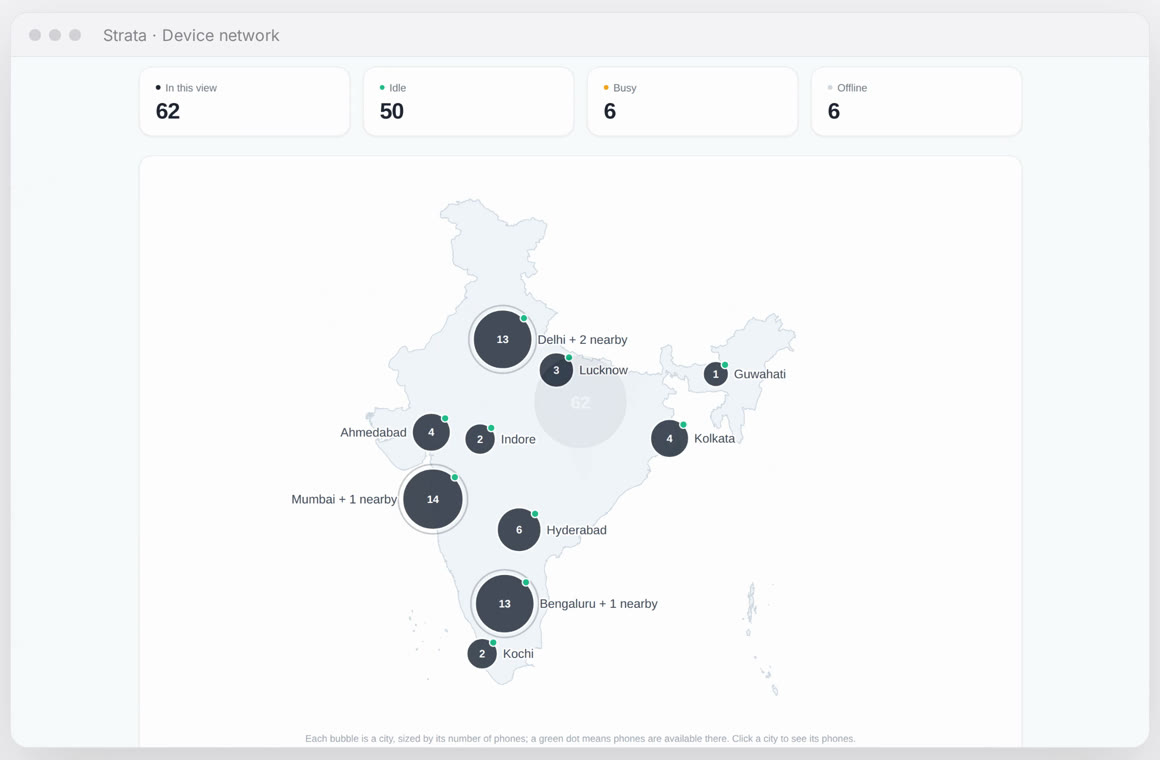
Strata matches the test to a verified device.
- Every device is placed on the map by its city, never its exact location.
- Only an available, verified device that fits your targeting is matched.
- Two tests can never book the same device.
Step 3
The device owner runs the test.
- They see your instructions and get the app from its normal channel, as a real user would.
- They confirm in one tap that it installs and works.
- For guided tests, they answer each of your points, with screenshots or clips.
Step 4
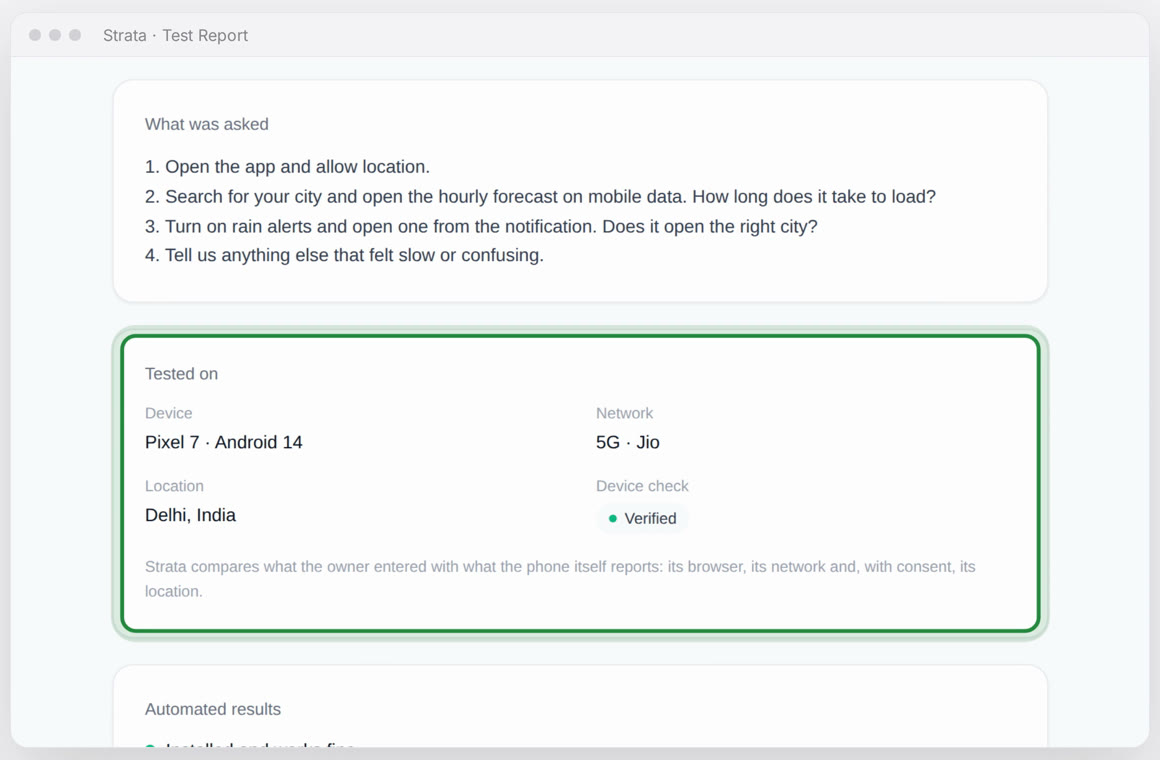
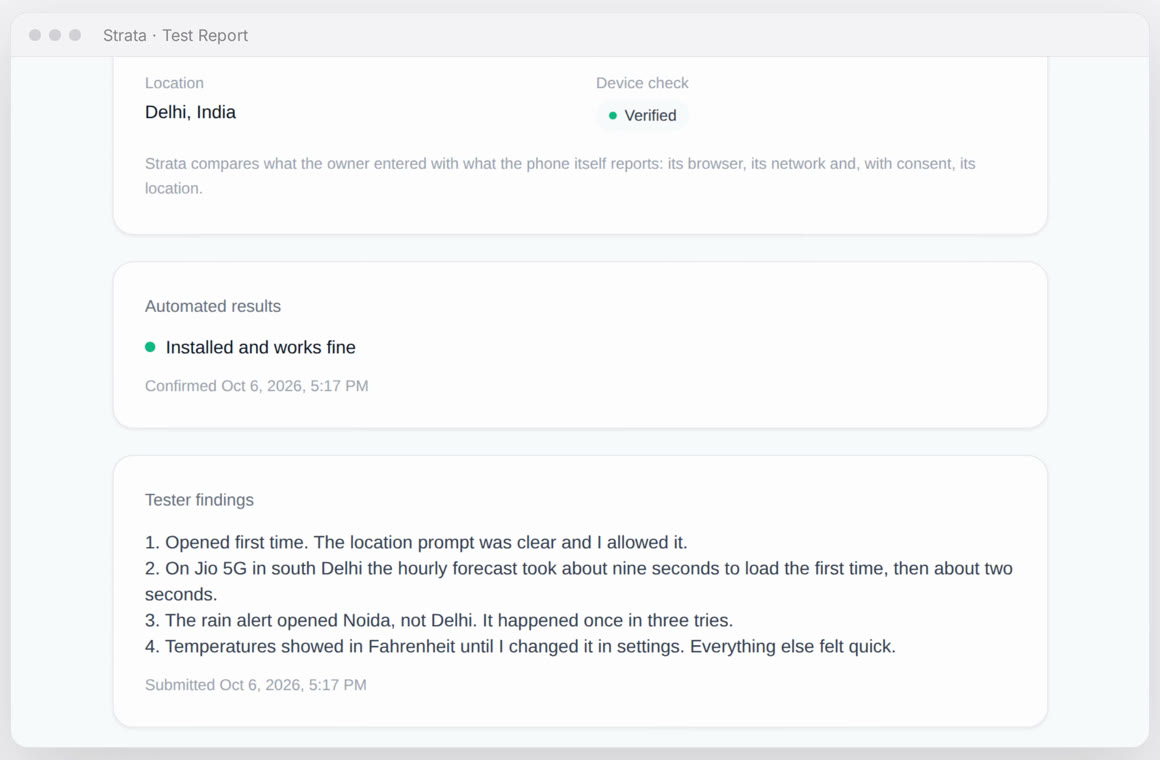
A Test Report, built on what you asked.
- Your own questions, at the top.
- Where it ran: phone, network, city and device check.
- The confirmed result and the findings, point by point. Online and as a PDF.
Delivery
Your app reaches the device the way it reaches customers.
Strata sends the device owner a link to your app's own channel, and they install it themselves. Nothing is installed silently.
Web link
A URL to your web app. No install.
Play Store
A public listing, or an internal or closed testing track.
Android file
Upload an APK. The owner downloads and installs it.
TestFlight
Apple's own pre-release channel, from your App Store Connect.
Testing modes
Pick a quick confirmation, a guided test, or both.
One-tap confirmation
The owner confirms the app installed and works, or reports what went wrong.
Written findings
The owner follows your instructions and answers each point, with evidence files.
Signal and judgment
A fast baseline and a real person's view, in two separate sections of one report.
Why you can trust it
Strata checks every device itself.
What the owner enters is compared with what the phone reveals, at registration and on every visit. Mismatches are flagged for review, and a blocked device is never matched to a test.
| Check | How Strata observes it | Example result |
|---|---|---|
| Phone type and OS | The phone's own browser | Matches |
| Model | Reported model on Android; screen size narrows the iPhone family | Matches |
| Carrier and connection | The network the phone connects through: carrier, mobile or home broadband, VPN or relay | Matches |
| Country and city | GPS with the owner's consent, resolved on Strata's own servers | Matches |
| A claimed 5G phone on home broadband | Network owner differs from the claim | Flagged for review |
Location with consent
Only with permission, and never sent to a third party. The map shows a city's centre, not a person.
Official channels only
Apps arrive through the web, Play Store, TestFlight or a file the owner installs.
Protected by default
Every part of the platform needs a sign-in. Roles are enforced by the server.
Evidence with every finding
Screenshots and clips from the device sit next to each point in your report.
Get started
Tell us what to test.
Share your app and where your customers are. We'll set up your first test with you and walk you through the report.
Devices today are in India, on local carrier networks.
Need another country? We recruit devices there for your project.
All we need is a link to your app. Nothing to install on your side.